
Gencraft - AI Art Generator
GencraftArt & Design
3.41.25K Reviews
- Version
- 1.5.3
- Installs
- 5.00M
- Age Rating
- Teen
Screenshots

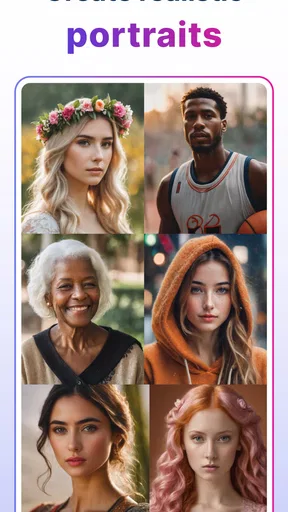
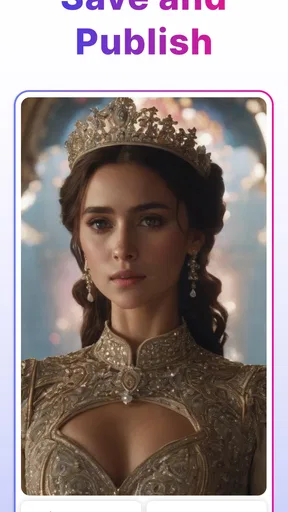
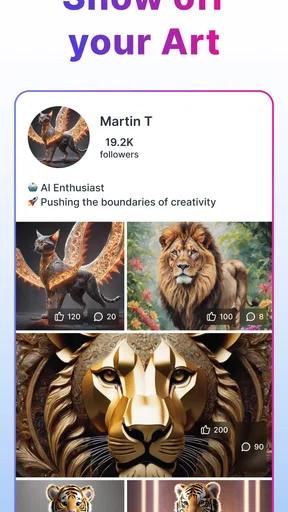
Our Review of Gencraft - AI Art Generator
 Analysis by Appyee
When I’m choosing an AI art app, I first ask what I want to make: a quick visual to share, a starting point for a design, or artwork I plan to refine elsewhere. Gencraft - AI Art Generator is aimed at people who want to turn an idea into an image without first learning a traditional drawing program. It is an Art & Design app from Gencraft, and its mix of image creation and a social setting makes it feel more like a creative playground than a full professional studio.
That distinction matters. AI-generated art can be fun and useful, but the first result is rarely the finished result I have in mind. I get the most from an app like this when I treat it as a way to explore a visual direction, then decide whether the output is good enough to share or needs further work. If you want precise control over every layer, shape, and letter, a conventional illustration tool may suit you better.
Choosing it for the job you actually have
Gencraft is free to install, with in-app purchases listed from $2.99 to $19.99 per item. That makes it easy to try before spending, but I would begin with a small, specific project rather than assume every feature or use case will fit into the free experience. The app has an average rating of 3.4 from around 24,000 ratings, so I would approach it with curiosity rather than expect it to work perfectly for every person and prompt.
It has passed five million installs, and its Teen age rating makes it relevant to a broad audience, though younger users should still involve a parent or guardian when deciding whether to make purchases or share creative work. The current version is 1.5.2, and it runs on Android 7.0 or later. I’d check that my device meets that requirement before setting aside time to use it.
The practical question is whether you want help generating a visual or want a complete design workflow. For brainstorming a character, mood, or scene, prompt-led creation can get me moving faster than a blank canvas. For a logo with exact wording, a carefully aligned poster, or a client asset that must follow strict brand rules, I would rather use a design app with dependable typography and direct editing controls.
Getting Started with Gencraft
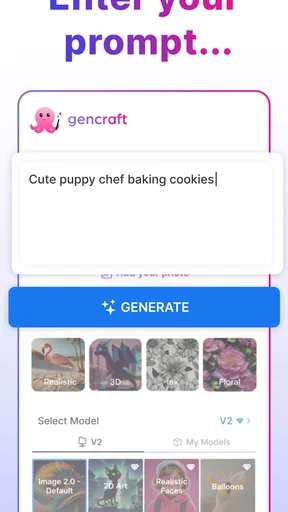
Alright, so you’ve downloaded Gencraft - AI Art Generator, and you’re ready to dive in. The first thing you'll notice is the sleek and intuitive interface. It’s got this minimalist vibe going on, which I personally love because it means I’m not overwhelmed by too many options right from the get-go. You’re greeted by a simple screen with a few options to choose from, making it super easy to start creating.
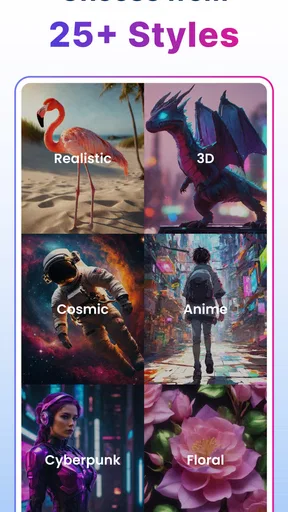
Once you select what you want to create, the app guides you through the process with prompts. It’s like having a creative partner who knows exactly what you need. You can either start from scratch or use one of the many templates available. And let me tell you, the templates are on point. They range from abstract to realistic, catering to whatever mood you’re in.
The Magic of AI in Art
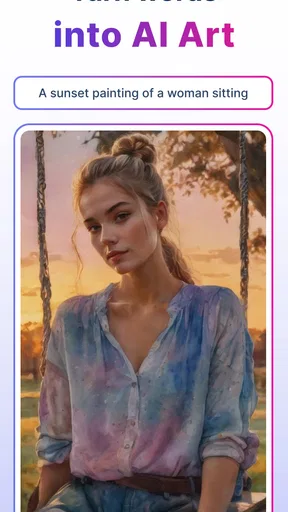
Now, here’s where the magic happens. The AI in this app is like a digital Picasso. You feed it a few prompts or images, and it churns out something that feels both familiar and excitingly new. The results are often stunning, with a depth and vibrancy that you’d expect from a professional artist. What’s cool is that you can tweak the results, allowing you to put your own spin on the artwork.
But it’s not just about painting pretty pictures. The app’s AI can also generate animations, which is a game-changer for those of us who love seeing our art come to life. Imagine turning a static image into a moving masterpiece. Yeah, it’s as cool as it sounds.
Features That Stand Out
Let’s talk features. One of my personal favorites is the ability to collaborate with others. You can share your projects with friends or the art community within the app, getting feedback and new ideas. It’s like having a virtual art class where everyone’s learning and growing together.
Another standout feature is the app’s capability to upscale your images. Sometimes, you create something beautiful, but the resolution just doesn’t cut it. With Gencraft, you can easily enhance the quality of your images, making them print-ready. This is perfect for those who might want to turn their digital creations into physical art pieces.
Using it beyond a first experiment
A useful way to work with generated images is to keep each prompt focused on one decision at a time. I might first describe the subject and setting, then make another attempt that changes the lighting or mood. That gives me a clearer sense of which words are steering the result, instead of piling on unrelated details and wondering why the image feels muddled. It also makes comparing attempts more useful: I’m testing a direction, not simply asking for “more detail.”
For an everyday example, imagine I need a playful invitation image for a family gathering. I could use the app to explore a few visual moods, such as a cozy illustrated table or a bright garden scene, then choose the closest result and add the event details in a separate layout tool. That division of labor is important. AI art can provide the atmosphere, while a conventional editor is usually the safer place for exact names, dates, and readable text.
If an image is meant for a small social post, a rough concept, or a personal wallpaper, a slightly unexpected detail can be part of the appeal. If it is going into a presentation or a printed piece, I would inspect the edges, hands, faces, and any small objects before relying on it. Upscaling can improve image dimensions, but it does not automatically correct a strange shape or make every detail accurate. I’d treat enhancement as a finishing step, not a substitute for checking the artwork.
Where other tools may fit better
Compared with a traditional drawing app, Gencraft puts more emphasis on describing an idea and seeing an interpretation than on building an image stroke by stroke. That is a genuine advantage when I feel creatively stuck or want several visual starting points quickly. It is less appealing when I already know exactly where every object should go and want direct control over the composition.
It also differs from a general-purpose graphic design editor. Those tools are typically a better fit when the task depends on precise text, repeatable layouts, brand colors, or careful placement of elements. I would use Gencraft to explore the image itself, then move to a layout-focused app if I needed a polished flyer, menu, or business graphic. Someone looking for a social feed first may also prefer a dedicated community platform; Gencraft’s social side is most useful when sharing and discovering AI-created work is part of the creative process, not the only reason to install it.
There is a trade-off in letting the AI interpret a prompt: the output can surprise me, but it may not follow every instruction as literally as a manual tool. I get better results by describing the main subject, setting, and mood clearly, then simplifying anything that competes with them. That approach is especially helpful for newcomers, who may otherwise mistake an overly complicated prompt for a failure of their own creativity.
Why You’ll Love It
What’s not to love about an app that basically gives you the power to create stunning art with a few taps? Whether you’re a seasoned artist or a newbie, Gencraft makes the creative process fun and accessible. It’s like having a pocket-sized art studio that you can whip out whenever inspiration strikes.
Plus, the community aspect really adds another layer of enjoyment. Sharing your work and seeing what others have created is not only inspiring but also helps you improve your skills. It’s a win-win!
And hey, if you’re someone who loves experimenting with different styles, this app is perfect. The AI doesn’t box you into one type of art. Instead, it offers a playground where you can explore and find what truly resonates with you.
What to consider before making it part of your routine
Before I build a regular workflow around any creative app, I try one complete task from idea to final use. With Gencraft, that means making an image, deciding whether its look is suitable, and checking how it behaves when I share or reuse it. A successful first experiment tells me more than generating a string of unrelated pictures, because it tests whether the app genuinely helps with the kind of work I do.
For a personal project, I would save a clear description of the prompt that produced a useful result and change only one or two elements when exploring variations. That gives me a simple record of what worked and makes it easier to return to a visual direction later. If I’m creating for a group, I’d share a few options and ask which mood feels right before spending time refining a single image. The social element can support that kind of feedback, although opinions from other people are a guide, not a guarantee that the image suits the final purpose.
It is also worth separating “looks finished on my phone” from “is ready for the intended use.” A design that reads well as a small preview may reveal awkward details when enlarged, and an attractive image may still need cropping or text added elsewhere. I would not assume that an AI-generated result is automatically suitable for commercial, editorial, or print use simply because it looks polished. For important work, check the requirements of the place where you plan to use it and review the actual image carefully.
Because purchases are available inside a free app, I’d decide what I need before paying for anything. Try the basic creative flow first, notice where you hit a real limitation, and then judge whether a paid item solves that specific problem. If you only want to make an occasional concept image, the free starting point may be enough to test whether the style suits you. If your aim is a dependable, repeated production process, compare the total effort and control with other tools before committing.
Who should try it, and who may want another route
I’d recommend Gencraft to curious beginners, hobby artists who enjoy visual experiments, and people who need inspiration before making a more considered design. It can be particularly handy when I have a clear feeling but no image in mind: describing “quiet and misty” or “bold and playful” gives me a way to begin exploring rather than staring at a blank page. It also suits someone who enjoys seeing how other people interpret AI art and is comfortable treating the community as part of the experience.
I would steer away from it as the only tool for a professional designer who needs exact layout control, consistent characters across a series, or lettering that must be correct. It may also disappoint anyone who expects every generated result to match a detailed brief on the first attempt. In those situations, a manual illustration or design program offers more predictable control, while Gencraft can still be useful as a reference or idea generator.
One practical question is whether I need to be an artist to get anything worthwhile from it. I don’t think so: a concise description of the subject and the feeling I want is a reasonable starting point. Artistic experience helps when judging composition and deciding what to adjust, but it isn’t a prerequisite for trying ideas. The more important habit is being willing to refine a prompt and reject a result that does not fit the task.
Another question is whether an output is ready to print or share as-is. Sometimes it may be suitable for casual sharing, but I would inspect it at the size and in the context where it will appear. For a physical piece, an image with enough apparent detail on a phone may still need a quality check; upscaling can help with resolution, but it cannot make every visual choice correct. I’d keep a separate editor in the workflow when exact cropping, typography, or final presentation matters.
Final Thoughts
In a nutshell, Gencraft - AI Art Generator is a fantastic tool for anyone interested in digital art. It’s user-friendly, packed with features, and offers endless possibilities for creativity. Whether you’re killing time on your commute or sitting down for a serious art session, this app is a must-have.
So, why not give it a try? You might just discover a hidden talent or find a new hobby that sparks joy. Happy creating!
My recommendation is a little more specific: try it if you want prompt-led inspiration, enjoy experimenting with styles, or would make use of sharing creative work. Keep a conventional design tool nearby for exact text and layout, and judge outputs by the job they need to do rather than by how impressive they look at first glance. With that expectation, Gencraft is an approachable way to turn a passing idea into a visual starting point; without it, the gap between an appealing preview and a finished piece may feel frustrating.
Verdict
Strengths of Gencraft - AI Art Generator
- Generates high-quality AI art quickly.
- User-friendly interface for easy navigation.
- Offers a variety of artistic styles.
- Regular updates with new features.
- No artistic skills required to use.
Limitations of Gencraft - AI Art Generator
- Limited free features, requires in-app purchases.
- Occasional lag with high-resolution images.
- Some styles can appear repetitive.
- Requires internet connection to function.
- No customization beyond preset styles.
Similar Picks in This Category
View All
Canva: AI Photo & Video Editor
Canva4.8

PENUP – Drawing-sharing SNS
Samsung Electronics Co., Ltd.4.5

Crafto
Kutumb App4.6

Sketchbook
Sketchbook4.1

ibis Paint X
ibis inc.4.5

Adobe Express: AI Photo, Video
Adobe4.6
Frequently Asked Questions
What is Gencraft - AI Art Generator and how does it work?
Gencraft - AI Art Generator is an innovative app that utilizes artificial intelligence to create unique pieces of art. By inputting specific parameters or choosing from preset options, users can generate stunning visuals that are completely original. The app employs advanced algorithms to transform these inputs into artistic creations, making it accessible for both amateur and professional artists.
Is Gencraft - AI Art Generator free to use?
The app offers a basic version that is free to use, providing users with access to core features and a limited number of art styles. However, for those seeking more advanced options and a broader range of styles, a premium subscription is available. This subscription unlocks additional features, allowing for more customization and higher resolution outputs.
Can I use the art created by Gencraft for commercial purposes?
Yes, artwork generated by Gencraft can be used for commercial purposes. The app grants users full rights to their creations, whether for personal projects or commercial endeavors. However, it’s advisable to review the app’s terms of service for any specific restrictions or guidelines regarding commercial usage.
What devices are compatible with Gencraft - AI Art Generator?
Gencraft is available on both Android and iOS platforms, ensuring compatibility with a wide range of smartphones and tablets. The app is optimized for the latest operating systems, but it may require a minimum version to function properly. Users are encouraged to check compatibility with their device before downloading.
How does Gencraft ensure the privacy of user data?
Gencraft prioritizes user privacy by implementing robust security measures to protect personal data. The app collects minimal user information required for functionality and does not share it with third parties without consent. Users can review the privacy policy within the app to understand how their data is managed and protected.
